
 November 12, 2020 | Posted By adrienne
It's time to give thanks for another special edition of Ozobot’s Learn Anywhere lesson series. Below, find ready-to-run, remote-friendly ELA lessons and a Thanksgiving Gratitude Party activity for grades 2-5. These lessons are aligned with Common Core State Standards and are designed to be completely flexible for remote or in-person learning. Each lesson comes with step-by-step video instruction and is designed to be self-guided and self-paced as needed.
Note: need bots for all your students to take full advantage of these Learn Anywhere lessons? Request a demo today to learn more about our 1:1 program–you might be surprised by the federal and state initiatives it qualifies for!
Discover Ozobot’s full Learn Anywhere lesson series and get detailed steps for remote and in-person instruction here:
Learn Anywhere Lessons – Full Schedule & Steps for Instruction >
If you’re new to Ozobot’s remote-friendly Learn Anywhere lesson series, start with Weeks 1-4 to introduce students to their Ozobots and Color Code basics. Once you’ve completed those intro lessons, dive into the lessons below. These lessons use Ozobot Evo and Color Codes to increase student engagement, integrate CS, and get kids working hands-on from anywhere.
Grades 2-8
Color Codes
Recommended pacing: 1 lesson per week
Length of each lesson: 30-45 mins
Thanksgiving Gratitude Party
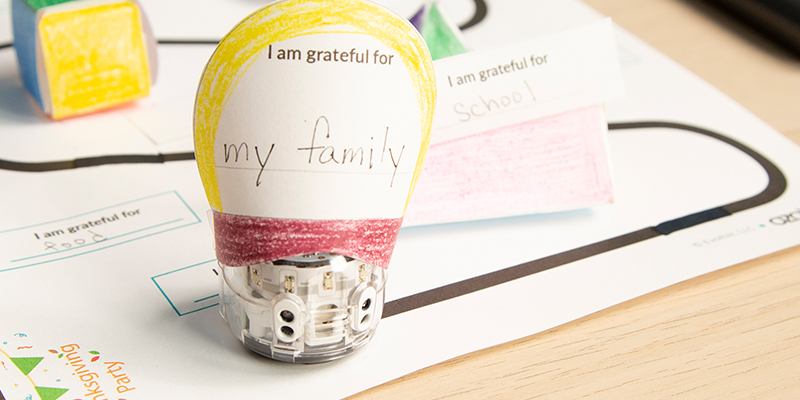
Students will identify what they are grateful for. Then cut out and build a 3D flower, a pyramid, a cube, and a triangular prism and place them along the path to a Gratitude Party, along with Color Codes.
- For Teachers:
- Lesson Plan > (click Preview)
- For Students:
-
Instructional Video >
See Lesson Plan for Student Activity Sheets
-
Instructional Video >
Prefix Puzzle
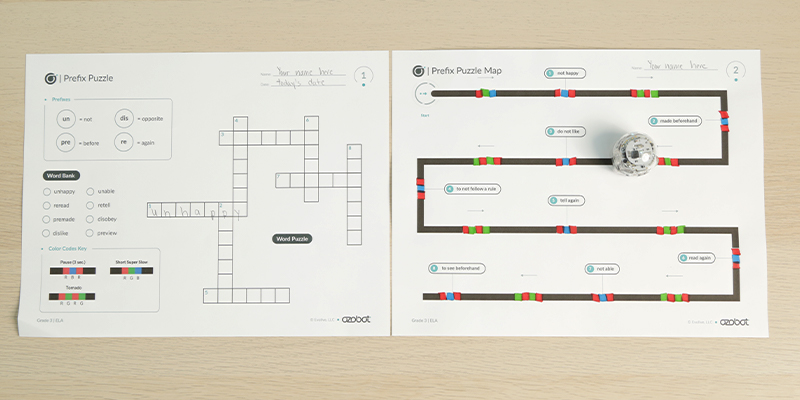
Students will use Color Codes to program their bot to move to definitions of words with prefixes. Students will use the definitions to identify the correct form of the words including the prefix and the root word.
- For Teachers:
- Lesson Plan > (click Preview)
- For Students:
-
Instructional Video >
See Lesson Plan for Student Activity Sheets
-
Instructional Video >
Grade 4: What’s the Word Relay
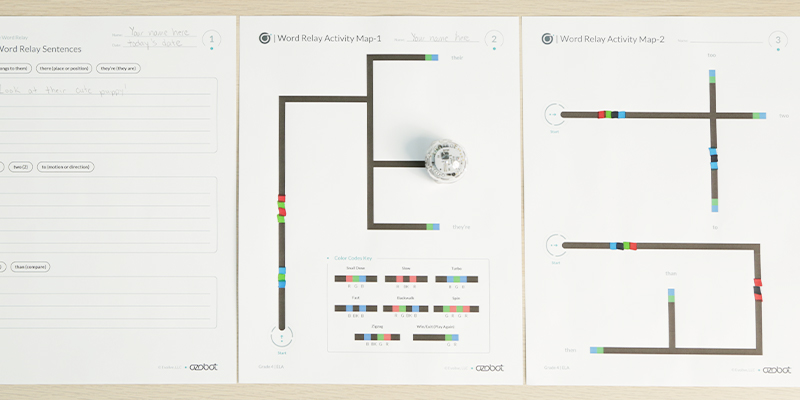
Students will use Color Code to complete a homophone randomizer. Students will program their bot to randomly choose a homophone. Students will use the homophone their bot chooses to write a sentence showing the correct meaning of the word.
- For Teachers:
- Lesson Plan > (click Preview)
- For Students:
- Instructional Video >
See Lesson Plan for Student Activity Sheets
- Instructional Video >
Grade 5: Synonyms in Action
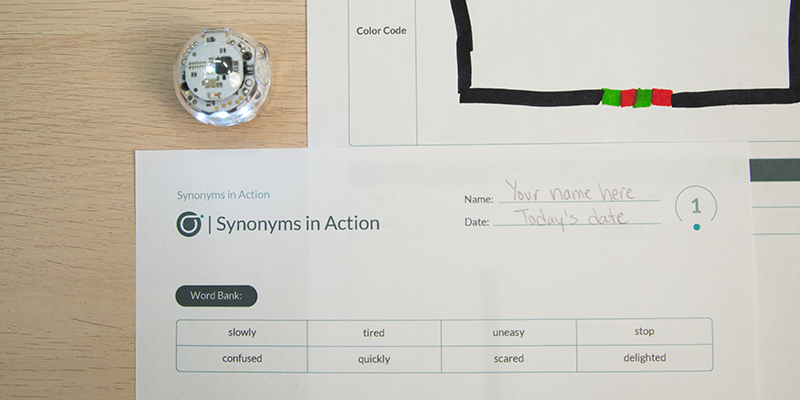
In this lesson, students will read sentences and use context clues to determine the meaning of a word. Students will then find a synonym and program their Ozobot to demonstrate the meaning of the words using Color Codes.
- For Teachers:
- Lesson Plan > (click Preview)
- For Students:
-
Instructional Video >
See Lesson Plan for Student Activity Sheets
-
Instructional Video >
Ready to start using the lessons above? Find detailed steps for remote and in-person instruction here:
Learn Anywhere Lessons – Full Schedule & Steps for Instruction >
You can also register for one of our upcoming webinars to learn more and meet the team who creates our lessons!
Comments (0)